 Knowledge Library
Decision in brief
Use a local Docker Sandbox in clone mode for an agent that should propose changes to a repository while you review and apply the resulting diff. Use direct mode for a disposable working tree when you want live edits. Consider a cloud sandbox when local virtualization or machine uptime is a constraint and the repository is approved for cloud execution. Verify the workspace, credentials, and outbound network policy on the installed version before expanding access.
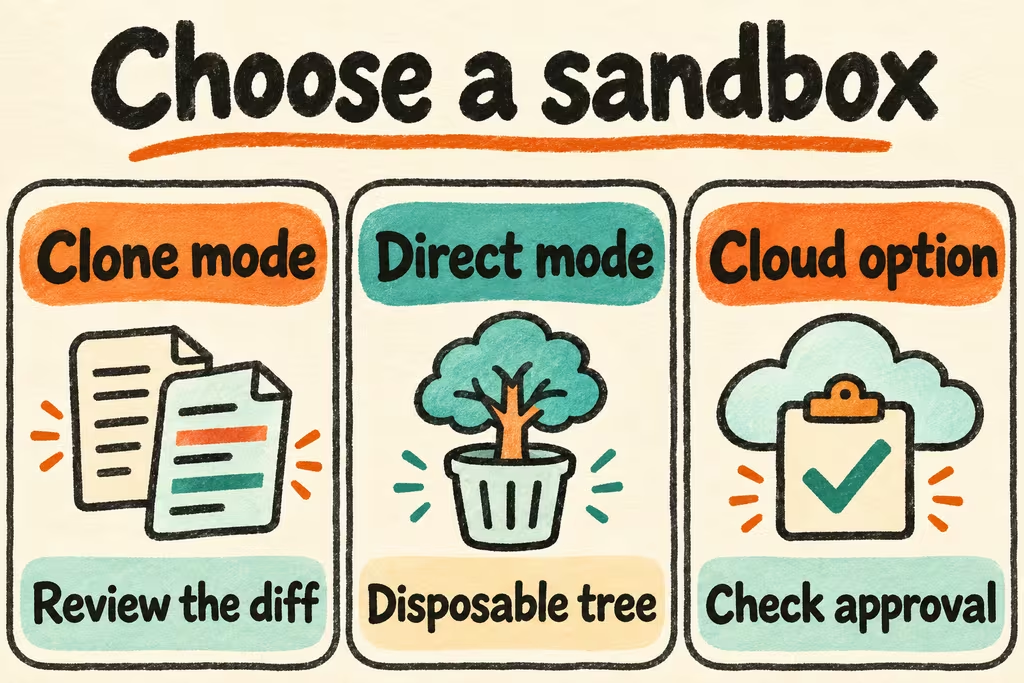
Docker Sandbox use cases and workspace modes
Docker Sandboxes run agent workloads in an isolated environment and offer local and cloud operation through the sbx CLI. The local microVM has its own filesystem and Docker Engine, so image builds and Compose services launched inside it use a different engine from the host. A normal development container is suitable for a reproducible, trusted toolchain. Its isolation and host connections depend on how you launch it.
For a code review or dependency update, start with clone mode and provide only the repository and reviewed dependencies. For an interactive refactor, use direct mode against a disposable working tree so the host can show live edits. A cloud job is useful when an approved task must continue after the laptop disconnects. Confirm that its network policy, identity, storage and lifecycle fit your organization.
| Option | Use it for | Check before adoption |
|---|---|---|
| Local sandbox, clone mode | Read code, prepare a patch and run test builds | Verify that the host repository stays unchanged until you review and apply the patch. |
| Local sandbox, direct mode | Pair on a disposable checkout with live edits | Expect the sandbox to be able to write in the mounted working tree. |
| Cloud sandbox | Run an approved task on Docker-managed compute | Check permitted data, compute billing, idle lifecycle and how reviewed outputs leave the workspace. |
| Development container | Repeat a trusted development environment | Review mounts, devices, credentials and network access in the container configuration. |
Docker Sandbox limitations to test
The workspace and configured integrations are explicit connections to the host or external systems. Treat direct-mounted files as writable. Review whether local skills are shared, whether a host SSH agent is forwarded, and whether a local stdio MCP server runs on the host. A VM boundary leaves those intentional capabilities in place. Disable integrations the task can complete without.
Use a dedicated model credential and approve only the destinations the task needs. A repository and build logs may still contain sensitive information. Review provider access and retention before allowing real data, and account for model charges separately from sandbox compute. Docker documents local compute as free to use and cloud compute as metered.
What HN users checked
In the Docker Sandboxes product thread, meffmadd described needing two directories for work context and recalled the available mounts falling short. Treat this as a test case for a monorepo, shared fixtures or a sibling dependency. Try the smallest approved copy of each required directory on the current release.
In a separate discussion about Docker cloud sandboxes, woodruffw questioned how much protection remains if workflows need broad credentials. List each external action the task requires and run the trial under a narrowly scoped test identity.
Verify sandbox isolation with a disposable repository
Use a repository you control with synthetic test data and a scratch account. Record expected read, write and network access before starting. Repeat the check after any change to the runner, policy or agent kit.
- Create two harmless marker files, one in the approved test repository and one outside it. Use a normal file listing inside the sandbox to verify that only the approved marker is visible.
- Make a harmless edit to the repository inside the sandbox. Confirm that clone mode leaves the host working tree unchanged. If evaluating direct mode, verify the expected edit appears in the disposable working tree.
- Check ordinary connectivity to a permitted endpoint you control and an endpoint you control that policy should deny. Use the documented policy settings if the result differs from your expectation.
- Run the test suite, capture the diff and review it from the host. Delete the sandbox through its normal lifecycle command, revoke test credentials and check that unnecessary compute is stopped.