 Knowledge Library
Decision in brief
Start by capturing the last exit state and timestamp, then compare them with application logs and host resource signals. Keep the configured restart policy only if the workload should persist. Fix the exit trigger in staging and prove that the service recovers without repeated restarts before promoting the change.
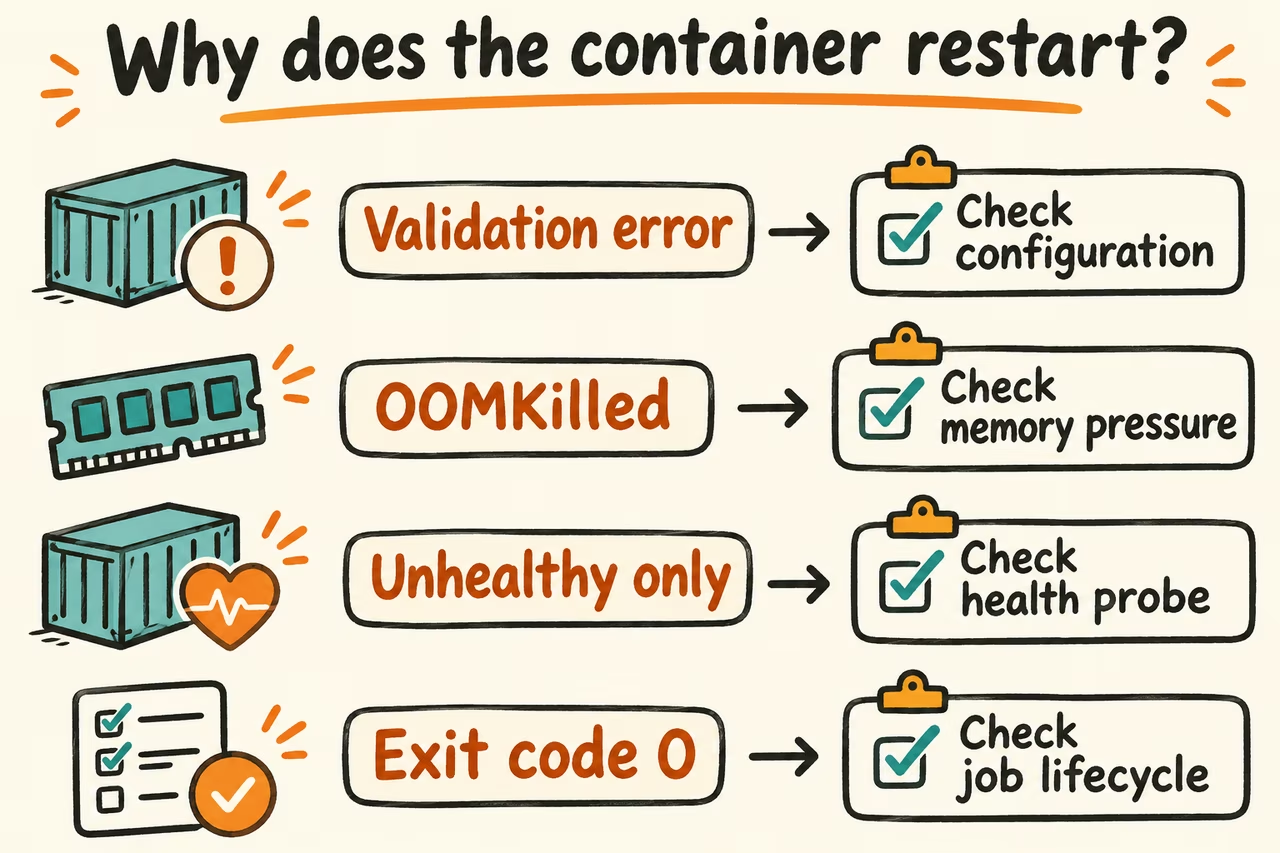
Separate a process exit from a failed health check
Start with docker compose ps -a and docker compose logs --tail 100 SERVICE for your own project. Use docker inspect to read .State.ExitCode, .State.OOMKilled, .State.Error, .State.Health, and .RestartCount as applicable. Avoid sharing full inspection output or unfiltered logs because configuration and logs can contain secrets.
A nonzero exit may reflect invalid configuration or a dependency that was unavailable at startup. An exit code such as 137 indicates a SIGKILL convention and needs corroboration from the OOM flag and host memory evidence. An unhealthy result is a separate signal. Standalone Docker restart policies react to exits, so a container can stay running and unhealthy.
| Evidence | First hypothesis | Next check |
|---|---|---|
| Fast exit with a validation error | Bad configuration, path, or permissions | Compare the staged effective config and the app's expected inputs |
| RestartCount climbs and OOMKilled is true | Container or host memory pressure | Correlate process memory and limits with the time of the last exit |
| Runs and becomes unhealthy with no increase in restarts | Health check or dependency failure | Inspect the check output and test the dependency inside the staging network |
| Exit code zero from a one-shot job | Job has completed while the service policy expects a daemon | Choose a job lifecycle and check output instead of uptime |
What HN operators surfaced about repeated recovery
In an infrastructure automation discussion, PkLavc asked how to prevent restart loops in systems that restart containers automatically. Put a retry limit and an alert in the runbook so an unhealthy condition does not create a stream of recoveries without a human seeing the underlying error.
In a separate Linux memory discussion, frollogaston reported a host becoming unresponsive during a Docker batch job that used all available RAM. Record host memory and service availability around any exit so the incident record captures more than the container process.
Reproduce a known failure and prove the fix
- Copy the deployed image reference and sanitized configuration to a disposable environment with test volumes. Capture the baseline exit, restart, health, and service probe readings.
- Introduce one benign fixture that reproduces the symptom, such as refusing the test database connection during startup. Record the first error and distinguish it from subsequent retries.
- Apply the smallest configuration or code change, then bring the dependency back. Rehearse both a cold start and a short dependency outage without deleting volumes.
- Proceed when the service returns to meaningful readiness, synthetic requests succeed, and there are no unexpected restarts during a window long enough to cover the original symptom. Stop if the failure disappears only after increasing retries or if important logs are still missing.