 Knowledge Library
Decision in brief
A Docker image packages an application and its dependencies. A container is an instance created from that image with its own configuration and writable layer. A Dockerfile supplies build instructions. A named volume holds data independently of the container lifecycle and can be attached to its replacement.
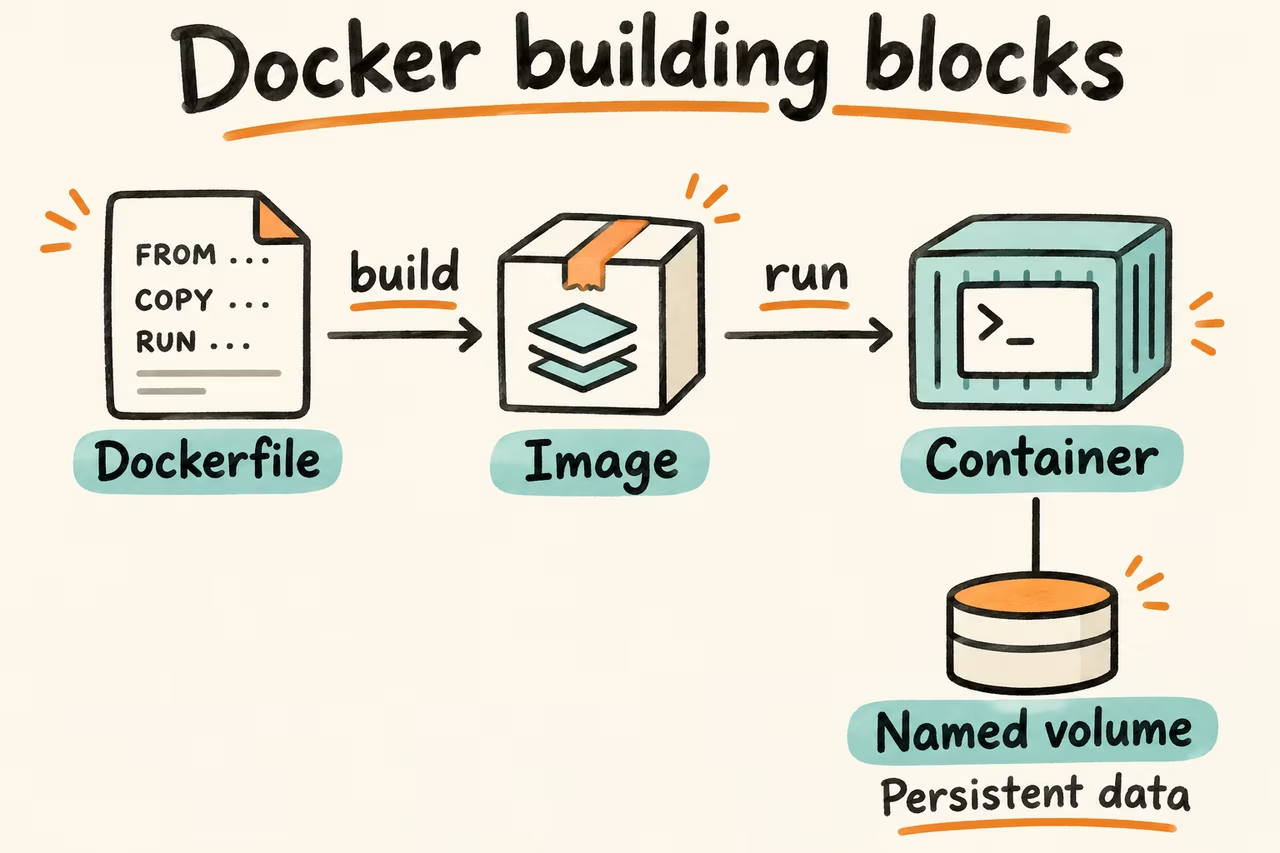
Docker image vs container vs Dockerfile vs volume
A Dockerfile can produce an image using docker build. Images can also come from build tools that assemble them without Dockerfiles. A registry stores images. A tag is a movable name in a repository, whereas a digest identifies particular image content. Record the resolved digest and platform when reproducing a deployment.
Docker run creates and starts a container. Docker start starts an existing stopped container with its writable layer intact. Changing the files in that layer does not change the image other containers use. When you remove the container, you lose that layer. Durable app data belongs in a volume or another explicitly managed store with its own backup procedure.
| Object | Use it for | What to check during replacement |
|---|---|---|
| Dockerfile | Describe application build steps | Rebuild in CI from the intended source revision and base image. |
| Image | Distribute an application and runtime dependencies | Record digest and target architecture. Verify the candidate before deployment. |
| Container | Run a configured instance of the image | Record mounts, ports, and other runtime settings separately from the image. |
| Named volume | Persist state across replacements on that host | Find its backup and rehearse restoration before relying on it. |
HN examples of building and selecting images
In the thread about deleting Dockerfiles, isaacvando described using Jib at work to build Java container images. That is an example of replacing build tooling while still delivering an image. When changing the build, compare startup under the same command and deployment settings before moving the production image.
In the Docker Hardened Images release thread, jitl reported looking for PgBouncer in the catalog and coming up empty at the time. Catalog coverage can change. Verify the current artifact and its supported platform before basing an operational decision on a registry or catalog.
Docker image vs container example you can run locally
Run this on a development machine with Docker and the Alpine image approved for use. The example tag alpine:3 may change. Substitute a digest for a repeatable team exercise. Choose a fresh volume name if hnlib-image-lab already exists.
- Run docker run --rm --mount type=volume,source=hnlib-image-lab,target=/data alpine:3 sh -c 'echo persisted >/data/marker; echo ephemeral >/tmp/marker' to put one marker in the named volume and one in the first container's writable layer. The container is removed on exit.
- Run docker run --rm --mount type=volume,source=hnlib-image-lab,target=/data,readonly alpine:3 sh -c 'test ! -e /tmp/marker && cat /data/marker' to read the volume in a fresh container. It should print persisted only if the /tmp marker is absent.
- Translate the exercise to one app in staging. Replace its container from the recorded image and runtime configuration. Confirm that required data is present in the documented mount or external store, then test restoring that store separately.