 Knowledge Library
Decision in brief
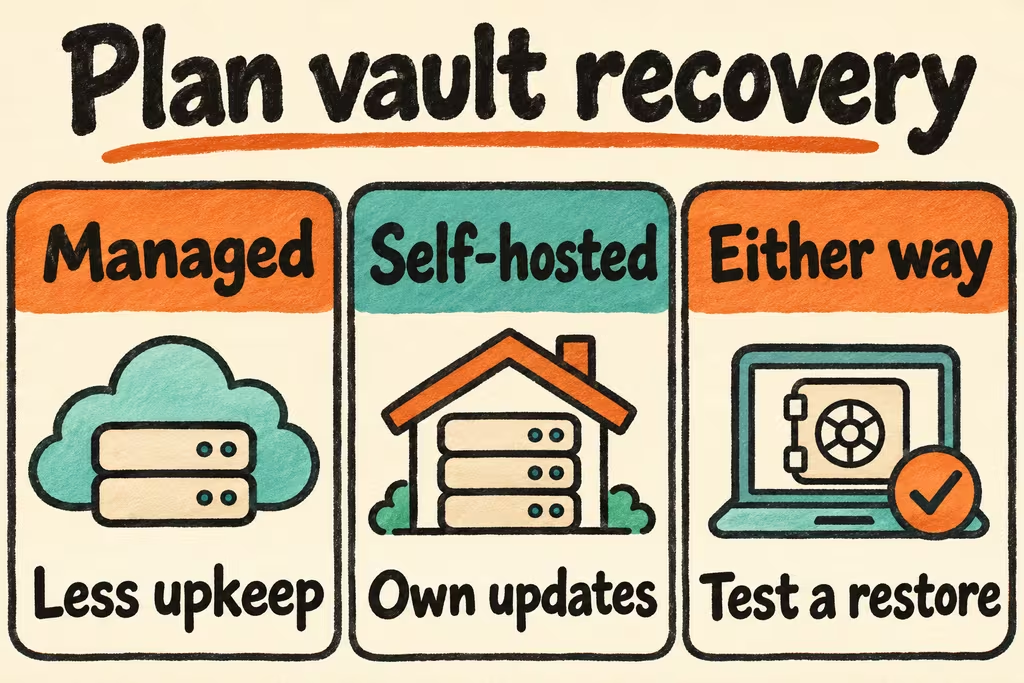
Choose managed Bitwarden if reliable access across devices matters more than operating the service yourself. Choose official self-hosted Bitwarden when you need infrastructure control and an official server and support path. Consider Vaultwarden for a personal or small deployment when you can monitor upstream client changes, apply updates promptly, and demonstrate recovery from a fresh device. Require a successful restore before migrating real credentials.
Self-hosted Bitwarden vs. Vaultwarden
Official self-hosted Bitwarden has multiple deployment options, including the single-container Lite deployment and the standard server stack. Vaultwarden implements the Bitwarden-compatible server API as an independent project. Bitwarden says compatibility with unofficial servers can vary across official client releases. If a family or team depends on a given browser, phone or login flow, include those clients in your acceptance test.
Decide who can sign in and what administration you require before choosing an edition. Check the official guide and pricing for current organization features and entitlements. Budget the server, backups, off-site storage, certificate and monitoring maintenance, recovery testing, and the time an operator spends handling updates and downtime.
| Option | Choose when | Validate first |
|---|---|---|
| Managed Bitwarden | Your team needs hosted sync and prefers a vendor-operated server | Account recovery, emergency access requirements, and any required sharing features on the selected plan. |
| Official self-hosted Bitwarden or Lite | You need an official stack on infrastructure you control | Edition requirements, client coverage, deployment model, and any license and support needs. |
| Vaultwarden | You operate a small vault and can own compatibility and recovery | Browser and mobile upgrades, passkey behavior if used, attachments, and server restore from backup. |
What HN operators reported
In the Bitwarden licensing discussion, hn3ufz62f7 said they had operated Vaultwarden for a team of roughly 15 and singled out the future of compatible clients. Test the browser extension and mobile app as separate dependencies and assign an owner to recheck them after major updates.
In a separate discussion about services on small VPSs, lode listed Vaultwarden among services they could recreate from daily backups. Apply that operating model by timing a clean replacement host and checking whether the backup covers attachments and settings as well as vault entries.
Prepare backups and an independent recovery route
Use the server-specific backup procedure and an encrypted off-host destination. Vaultwarden documents which files and databases need attention and how to back up SQLite safely when it is active. Bitwarden documents its separate server backup flow. Inventory database, attachments, configuration and the recovery material your deployment uses. Keep access to the backup and emergency contact information somewhere you can reach without a working vault.
Set an acceptable amount of lost changes and a recovery time for the people who rely on the service. Document the fresh-device sign-in path, MFA recovery codes, and who is able to restore the server. Check the device-to-server access path from the networks where users actually need it, especially if access requires a VPN.
Run a password vault migration rehearsal
Use a staging instance and synthetic accounts. Include a shared item, an attachment and one authentication method representative of your deployment.
- Sign in on a browser extension and a phone. Sync changes in both directions, exercise sharing with a second account and check the permissions that account receives.
- Take an encrypted backup using the selected server procedure. Restore to an isolated replacement host and sign in from a fresh client using the documented recovery steps.
- Open the test attachment, check the shared collection and confirm the restored member permissions. Update one disposable entry and verify it syncs normally.
- Record time to recover, the latest item present in the backup, and the operator who will handle future updates. Keep real credentials on the current service until the rehearsal meets your recovery target.