 Knowledge Library
Decision in brief
Use the Antigravity desktop app to organize work across project folders, a supported editor integration or the standalone Antigravity IDE for feedback beside the diff, and Antigravity CLI for a terminal workflow. Begin with a disposable repository, keep permission prompts enabled, and verify one narrow task before widening access.
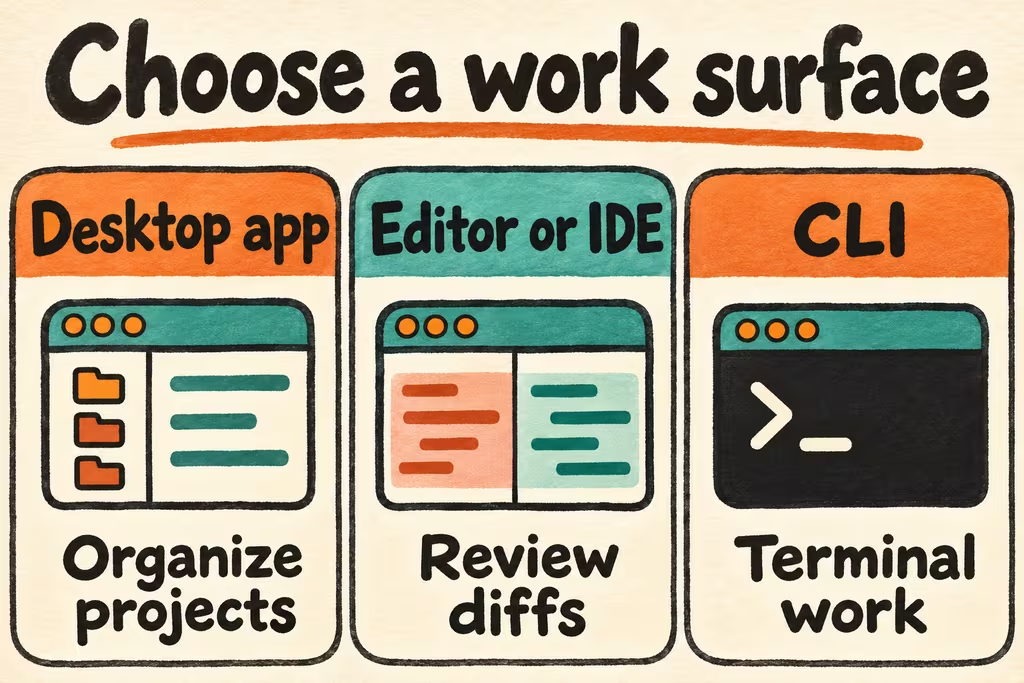
Choose which Antigravity surface to install
Google's current quickstart lists the desktop Antigravity App, Antigravity CLI, editor integrations, and a Python SDK. Its editor section also lists the standalone Antigravity IDE. The App organizes sessions around Projects. You can start a project session in active folders or in a new Git worktree. A worktree helps separate changes. Apply separate workspace permissions to enforce what an agent can access.
Install the App or standalone IDE from Google's download page, the extension from the supported editor’s official listing, or the CLI from Google's platform-specific guide. To start at a terminal, check the installation with agy --version and run agy from the sample project's directory. Review the project trust and effective permission settings before the first instruction.
| Goal | Surface to try | First check |
|---|---|---|
| Organize an agent session around one or more local folders | Antigravity App | The project contains only the intended folders and worktree changes remain easy to inspect. |
| Review changes alongside code and diagnostics in an editor | Official editor integration or standalone Antigravity IDE | The chosen editor supports the project's language, debugging, and diff workflow. |
| Work primarily from a repository shell | Antigravity CLI, invoked as agy | The binary version, working directory, and permission behavior match your intended setup. |
| Develop a programmatic integration later | Antigravity SDK | The SDK fits the approved deployment and can be evaluated separately from your first interactive trial. |
Check account access and establish a safe sample project
Use the account and project approved for your repository. Google's documentation separates personal authentication from business and enterprise setup. Check your product's current pricing, usage, and supported sign-in paths. If you already use Gemini CLI, review Google's migration guide separately for extension and workflow changes.
Create a sample repository with synthetic data and no credentials. Keep unrelated folders outside the project, use a preapproved test command, and check which actions are automatic under your active preset. Use a visible approval flow for material changes, and grant only the paths needed for the task.
Two HN cases to use as acceptance checks
In the original launch thread, briandw reported that Antigravity showed evidence of a browser visit while claiming to finish an app task the developer still considered incomplete. Add a separate behavior check that the reviewer runs from a fresh browser session or clean test process.
In another thread about a statistical-physics demo, rckt questioned whether specialist demonstrations represented normal application development. Make the second trial a change to an existing project with conventions and dependencies your team actually uses. The discussions describe earlier versions, so use them to choose checks for your current installation.
Google Antigravity tutorial for one small change
- Create a clean sample project with a baseline commit and one failing unit test for a small data-formatting change. Open that project with the chosen surface. Record the surface version, selected model, and effective tool permissions.
- Ask the agent to explain the intended edits and test command before changing files. Approve only the identified paths and operations. Pause immediately if it asks for an unrelated folder, secret, account, or connector.
- Read the diff, rerun the original test and nearby tests yourself, and confirm that unrelated files are untouched. Apply the patch to a separate checkout at the baseline commit, rerun the checks, and confirm that discarding the checkout restores the original state.
- Accept the pilot if the intended behavior passes, the diff stays in scope, and a second person can repeat the check and rollback from your notes. Stop if the result depends on an unexplained change, extra access, or verification you cannot reproduce.