 Knowledge Library
Decision in brief
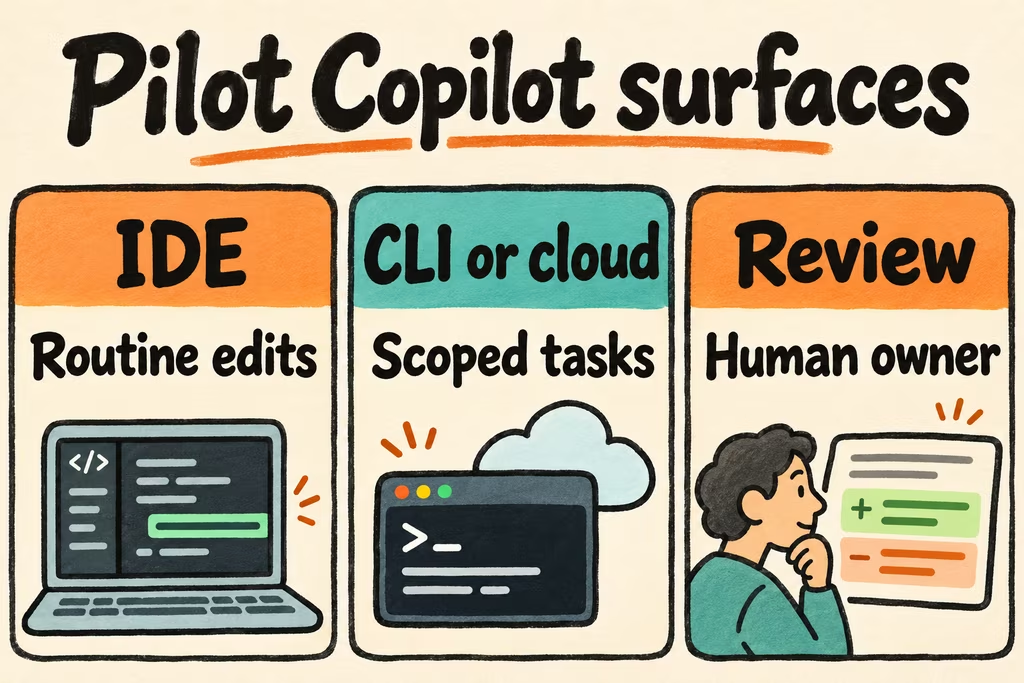
Enable Copilot in the existing IDE first if the goal is to reduce repetitive edits. Add CLI or cloud delegation only for well-scoped work with repeatable checks. Start code review on a few repositories with a named human reviewer and a usage budget. These surfaces solve different problems and can generate different charges.
What GitHub Copilot does
GitHub Copilot covers inline editor suggestions, conversational assistance, local terminal work and agent work delegated from GitHub. Cloud agent can make changes on a branch in an ephemeral development environment powered by GitHub Actions. Code review is another workflow with its own trigger, policy and billing. Decide which of these the seat needs to support before comparing plans.
| Daily task | Feature to try | Check before enabling |
|---|---|---|
| Boilerplate in your editor | Inline completions | Editor support, acceptance and interruption rate. |
| Investigate or change a repository with a developer present | IDE agent or Copilot CLI | What it may read, edit or run, and where approvals appear. |
| Delegate a contained issue | GitHub cloud agent | Repository scope, setup, branch protection and draft review ownership. |
| Give a human reviewer early feedback | Copilot code review | Finding quality, review budgets and Actions minutes. |
GitHub Copilot price and usage
As checked November 16, 2026, GitHub lists Copilot Free with limited access, Pro at US$10/month, and Pro+ at US$39/month for individuals. The plan overview lists Business at US$19 per granted seat per month. Enterprise contracts and organizations with a different billing model should check their own assignment and AI credit pool.
GitHub’s paid-plan completions and next-edit suggestions do not use AI credits. Agent work and AI code review can consume credits. Code review can also use GitHub Actions minutes for its agentic work. During the pilot, inspect both places in billing. If a legacy annual account still uses the old request-based model, budget from the actual account dashboard.
What two Hacker News conversations surfaced
In an enterprise Copilot discussion, acadavid79 reported that staying inside VS Code made adoption easy. That experience supports checking editor fit with your actual users. It did not isolate which Copilot features improved task completion.
In the thread on GitHub’s own runtime migration, anabis called out the value of verifiable in-place rewrites. GitHub’s account describes porting components incrementally and adding extensive parity testing. An internal vendor project is an example of workable controls. A small compatibility task with known outputs is a better first pilot for most teams.
Run a focused rollout
Use an approved test repository and log spend and review time by feature. Keep team-wide settings out of the initial trial.
- Give three developers two everyday editor tasks and record accepted suggestions, interruptions and time to finish. Use their normal editor settings as the baseline.
- Delegate one issue with a reproducible acceptance test. Verify that required checks and human approval still apply, then record rework and the time needed to get a usable diff.
- Request AI review on one known defect and one clean change. Keep that review in the rollout only if the known defect is surfaced and the reviewer can triage the extra feedback inside the time budget you set.
- Review seat allocation, paid usage and Actions minutes. Stop expanding access if repository permissions fail your policy check or billable work cannot be attributed to an owner.