 Knowledge Library
Decision in brief
Start by checking whether the failure affects the service, your account, one client, or one repository. Reproduce it once with a harmless request in a minimal test project. Keep workspace security settings and local evidence intact while isolating the cause.
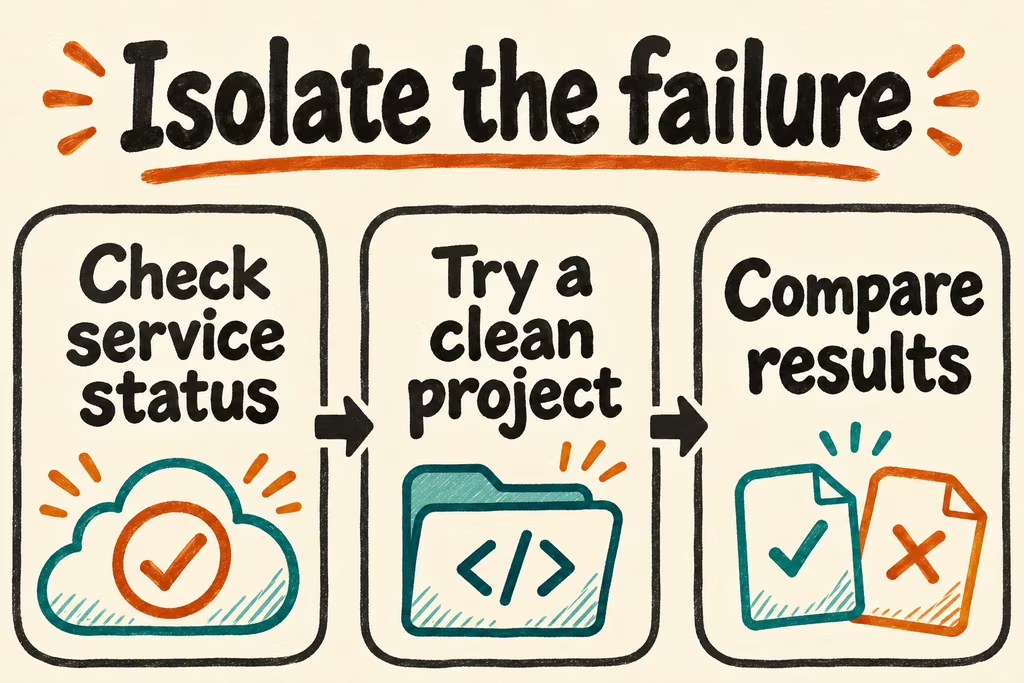
Find the failing layer from the first repeatable symptom
Record the time and time zone, exact error category, client version, and whether the affected client is desktop, CLI, VS Code, or web. The status page lists Codex surfaces separately. If several users or surfaces fail together, check the relevant incident before spending time on local recovery. An aggregate status page can lag the first report.
Confirm the active account, intended workspace, and sign-in method without printing keys or tokens. The Codex CLI documentation describes using codex login status to see the authentication method. In an IDE-only case, check the logged-in profile and extension version. Keep the intended network and permission policy in place throughout the test.
| Symptom | First test | Next decision |
|---|---|---|
| Similar immediate errors on multiple surfaces | Check service status and note the incident timestamp | During a matching incident, preserve the error and retry once after recovery. |
| Sign-in loop, entitlement message, or limit notice | Check the account, workspace, login method, and usage screen | Ask your workspace admin about access policy when the local account is correct. |
| VS Code fails while an approved CLI session works | Run the same no-edit prompt on an empty folder and record the extension version | Use the working approved client for urgent work and report the client-specific reproduction. |
| Only one repository fails or the task stops during a tool call | Run a read-only prompt in a clean fixture and then the smallest approved repo task | Check repository instructions, documented permissions, and dependency availability at the failing step. |
What two HN reports tell you to check
minimaxir initially reported seeing an incorrect API key message, then updated the thread with a link to a confirmed Codex service incident. Check status and compare one authorized surface before concluding that an authentication-looking error calls for key rotation.
In a separate thread, AIorNot reported large local crash dump accumulation while using Codex Desktop. If the symptom is a crash or local disk pressure, record available space and whether it changes on startup. Preserve useful diagnostic evidence for support and review any cleanup with the device owner.
Run a diagnostic you can send to support
- Capture the sanitized error, time zone, OS, client version, login method, and workspace type. Write down the expected behavior and what changed before the first failure.
- On the approved network, ask Codex to summarize a short README in a minimal test project without editing files. If permitted, repeat once in a second supported client using the same workspace. Compare behavior with the product's status and usage screens.
- If the clean test works, repeat the smallest approved read-only step in a sanitized repository fixture. Restore one variable at a time, such as the editor environment or approved project settings, and record when the issue recurs.
- Resume normal work when the clean request and representative project step each succeed twice under the normal policy. Stop after repeated failures, a permissions discrepancy, or unexpected file activity. Send authorized support a redacted reproduction and any relevant incident or request ID, with credentials and proprietary code removed.
How to report a model bug or record a model change
Start a dated incident record when an ordinary approved task fails or behaves differently. Record the UTC time, affected surface, client version and exact model or displayed selection. Include the expected result, observed behavior, error text, how often the issue repeats and the smallest synthetic example you can share. For API calls, use the x-request-id when available and share it privately with support after removing account secrets and private payloads.
In one HN outage discussion, tducret reported that status sources were silent at the time of the comment. Date your status check and update the same log when a provider posts an incident ID. In a separate discussion of GPT-6.1 Sol, madsgarff asked for benchmarks across different reasoning settings. Record the setting alongside the model ID and compare one changed variable at a time before attributing a difference to the model.
- Use a sandbox project or synthetic, read-only example. Record the UTC timestamp, user-visible error or output, surface and what you expected.
- Check the provider's status and changelog. Try once more with the same configuration and, if approved, once with only one model or client variable changed. Date each result.
- Remove credentials, account identifiers, paths and private content. Send the minimal reproduction and relevant request ID through the appropriate support route. Record any external incident ID and follow-up date.
- Close the record when the synthetic fixture passes twice and the observed change is documented. Pause testing if you see unexpected actions, the example would disclose private data, or repetitions reach your cost cap.
| Report pattern | Record next | Escalation test |
|---|---|---|
| Service unavailable or error bursts | UTC interval, public status component and request IDs where available | The same failure repeats in a small allowed sample or matches a published incident |
| Only a client or configuration seems affected | Client version, surface and one harmless minimal input | A second approved configuration provides a controlled contrast |
| A release changed output behavior | Before and after IDs or selections, effort setting, expected output and fixture results | Same-fixture results exceed the tolerance you wrote down before testing |
- OpenAI · API reference on debugging requests and request IDs
- OpenAI · Service status and historical incidents
- OpenAI · ChatGPT and Codex changelog
- OpenAI Help Center · Contact Support
- HN · tducret on a gap between an observed outage and status sources
- HN · madsgarff on comparing model behavior at different reasoning settings