 Knowledge Library
Decision in brief
Start with a static launcher when you mostly need reliable links. Move to Homepage or a comparable service dashboard if a few status widgets will change what you do. Use a dedicated wall-screen application when you need shared actions like editing tasks or a calendar, and scope what that display can see.
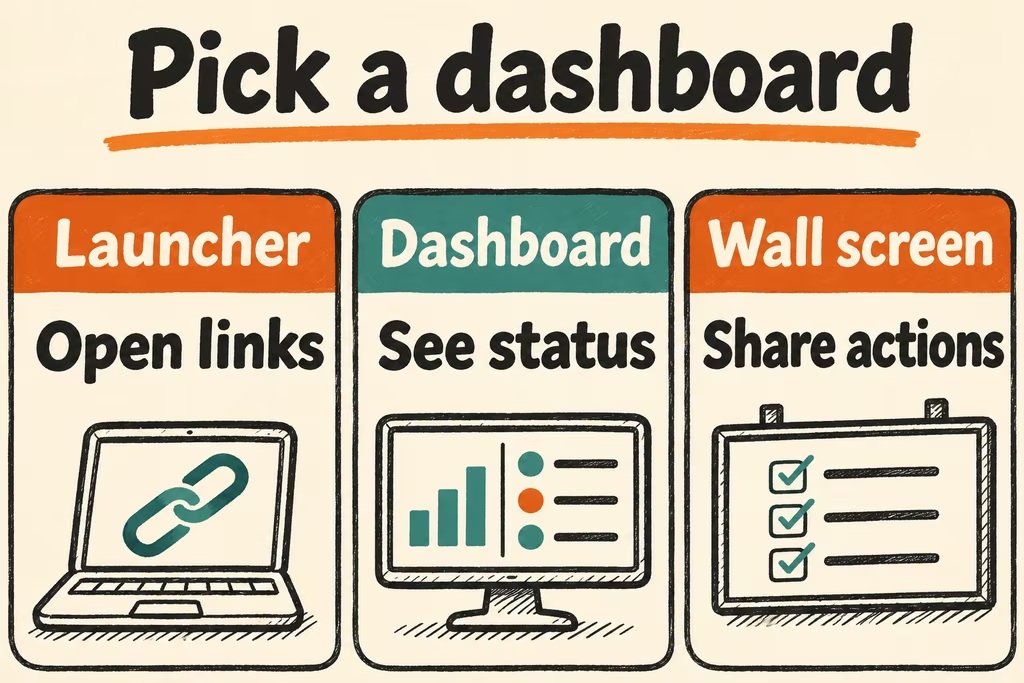
Choose the interaction the screen has to support
Homepage uses service definitions and optional widgets. Start with plain links and add only the indicators your household or operators review. A widget can need server-side access to service data, so use separately scoped credentials and keep management access out of the dashboard.
Follow the authentication guidance for the deployed version. Homepage's current installation guide describes authentication options and host validation. Give a shared screen a suitably limited user experience and a visible update time, so someone can distinguish a fresh status check from the last successful result.
| Primary job | Starting choice | Pass signal |
|---|---|---|
| Launch personal services | Static page or Homepage with links only | The five most used services open on both desktop and phone. |
| Identify a service outage | A dashboard with two scoped status widgets | A controlled outage shows up promptly and the widget recovers after the service returns. |
| Coordinate household tasks | Dedicated shared screen with limited edit access | Two users can complete a task and private admin integrations are unavailable. |
| Read a passive wall or e-paper display | A small read-only layout with a visible refresh time | Content remains legible and the screen makes lost connectivity clear. |
Two HN designs for different screens
danialkhilji described using an old laptop and iPad for a family dashboard after shared apps failed to stick. It is an example of choosing a location and workflow first. Test whether people actually use the device at the point where the information matters.
xDaftTurtle built Tesserae to drive e-paper hardware with customized dashboard rendering. A wall display needs its own test of refresh timing, legibility and stale data. Successful rendering in the administrator's browser leaves those questions open.
Run a three-day dashboard trial
- Choose one screen, five approved destinations and two status indicators. Use toy service accounts or public-status fixtures and define freshness before adding integrations.
- Exercise login, desktop and phone navigation, and any shared touch actions. Temporarily pause one owned test service and verify its widget reports unavailable or stale while unrelated links still work.
- Restore the service, measure time to recovery in the widget, and recreate the dashboard from a backup of definitions and separately managed test credentials.
- Keep the dashboard if all five links work, both status changes are visible within two configured refresh intervals, and the clean restore preserves the layout. Stop if an ordinary viewer can open admin controls or view service credentials.