 Knowledge Library
Decision in brief
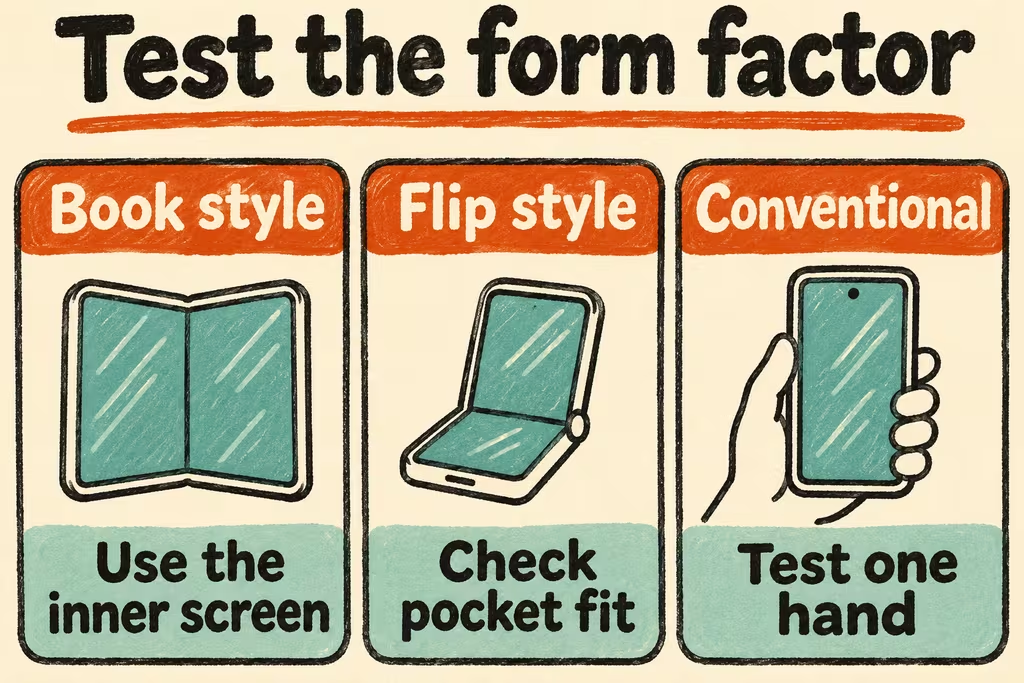
A book-style foldable makes sense if the inner screen measurably helps you read, review documents, or use two supported apps several days a week. A flip-style phone suits a different need, reducing pocket length when closed. Keep a conventional phone if one-handed comfort, a simpler repair path, or a lower price matters more than those specific gains.
Foldable phone pros and cons by type
Apple confirmed iPhone Duo retail availability on October 23, 2026. Its dual-display design is one example of a book-style foldable. Google's Pixel 10 Pro Fold is another real shipping model used by an HN contributor. Check the cover display, inner screen, weight, and thickness of the exact unit you are considering. For a flip, check whether the closed display can handle the actions you expect or only shows notifications.
The screen diagonal gives limited information about your apps. Open your own representative document or approved demo file and check whether side-by-side views stay readable. Weigh the purchase price, case, protection plan, and manufacturer repair quote together. Check whether an inner-screen repair is available locally, how long it might take, and what you would use in the meantime.
| Current problem | Best first candidate | Evidence to collect |
|---|---|---|
| Open two apps or read pages several times a day | Book-style foldable | Which exact apps support useful layout, and time to complete the recurring task |
| Conventional phone is too tall for a pocket | Flip-style foldable | Pocket fit with the intended case and which common actions work while closed |
| Need quick, one-handed access throughout the day | Current or lighter slab phone | Complete calls, maps, and messages one-handed without extra steps |
| Only need a large screen occasionally | Slab phone plus a tablet or laptop you already use | Cost and carry burden compared with actual frequency of large-screen tasks |
What HN users measured in daily use
perarneng reported using a Pixel 10 Pro Fold folded and unfolded every day, with the narrow closed shape important for pocket fit. A wider successor might change that experience. Try to sit down and walk with the exact unit in the case you would use.
taehoon described using a Galaxy Z Fold8 while building Caffold, an intentionally cross-device workspace. That workflow had software designed for continuity. Check whether your own apps retain their state when you move to the inner screen or switch to a larger device.
A four-step foldable phone test
- For two days, log the tasks you would move to a larger display and the tasks you run one-handed. Select two of each and set a price ceiling.
- Run the four tasks on the candidate and your current phone, at the same font size with the same data. Check app layout, keyboard reach, and where work goes when you close and reopen the phone.
- Try the intended case and carry position. Read a dark screen in bright light at your usual angle. Verify regional repair and coverage for the exact model with the manufacturer or authorized provider.
- Switch only if the large screen materially improves two recurring tasks and the carry, repair, and price checks fit your limits. Stop if an essential app loses work, you cannot handle routine actions while folded, or repair downtime would be unacceptable.