 Knowledge Library
Decision in brief
Start with bounded application pools when the number of application processes is stable. Add PgBouncer transaction pooling when clients or workers multiply faster than your PostgreSQL backend budget and transactions can safely move across sessions. Measure application pool wait, PgBouncer queue time and database work separately before changing any limit.
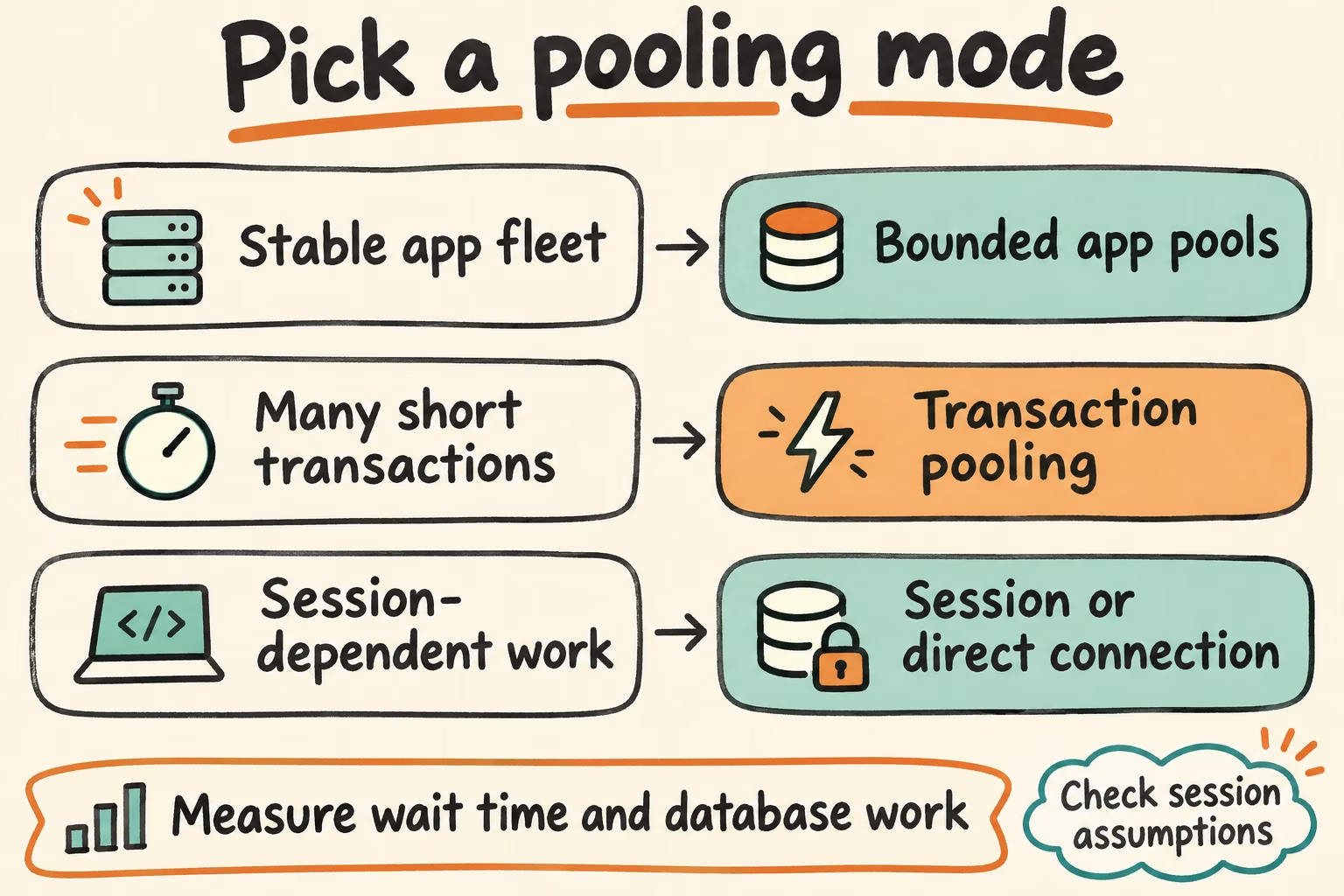
Choose direct, session or transaction pooling
In session mode PgBouncer assigns a PostgreSQL connection for the client session. In transaction mode it returns the server connection after the transaction ends. Long transactions and idle-in-transaction clients can hold server slots for their entire duration.
| Workload | Start with | What to verify |
|---|---|---|
| Small, stable application fleet | Bounded application pools directly to PostgreSQL | Peak replicas times pool size, plus other clients, fit the measured connection budget. |
| Many autoscaled clients running short transactions | PgBouncer transaction pooling with per-database backend limits | No cross-transaction session state assumptions. Tail latency and queue depth stay inside the traffic spike budget. |
| Session features, such as LISTEN or session advisory locks | Session mode or a dedicated direct endpoint | Reconnect restores needed session state. Long-lived consumers have an explicitly reserved budget. |
| Tooling that depends on session state during PostgreSQL migrations or backup | Use the documented direct or session path for that tool | Test permissions, locks, rollback and runtime. Reserve capacity even during peak traffic. |
Size the database budget before changing pool limits
Start at the lowest backend count that meets your service target under realistic load. Keep room for admin access, monitoring, direct application connections, migrations and backups. For example, if testing supports 100 backend connections and you budget 20 for direct clients and headroom, all PgBouncer instances together can consume at most 80 along their busiest routes. Two instances might get 40 each. If one pooler must sustain full traffic by itself, measure its recovery queue and size aggregate caps so both healthy and degraded states stay within the database budget.
PgBouncer max_client_conn limits incoming client connections to an instance. default_pool_size limits server connections per database and user pool, while max_db_connections can cap the sum for one PgBouncer database. Multiple instances and database aliases can multiply aggregate connections to the same backend. PostgreSQL max_connections limits database connections and has resource overhead. Keep the measured operating budget below the point where database latency rises sharply.
Compare time waiting for an application connection, PgBouncer SHOW POOLS waiting clients and maximum wait, and PostgreSQL execution time, wait events, CPU and storage pressure. Brief queues during a burst may smooth load. Persistent queues coupled with idle database capacity suggest inspecting per-user pool splits, long transactions and pooler CPU. If PostgreSQL is saturated, reduce transaction duration or concurrency and address the slow work before allocating more connections.
Review session behavior before switching. PgBouncer documents protocol-level named prepared statements with nonzero max_prepared_statements in transaction mode. SQL PREPARE and session features such as LISTEN require a compatible path. Validate the precise driver, PgBouncer version and configuration together.
What Hacker News cases add
ClickHouse's PgBouncer engineering report found a single pooler process saturated a CPU core in its select-only benchmark. Their multi-process setup split the backend budget and used peering for cancellation. In the HN thread, nosefrog described running multiple PgBouncer processes in Kubernetes across machines. If you adopt the pattern, test the aggregate backend cap and ensure a cancellation reaches the process handling the query.
In a separate HN thread, pinser98 shared Figma's PGKeeper case. Figma's engineers described pacing connection creation and teardown during churn. Test a rolling restart and rapid scale-up so the pool stays within the database connection budget and reconnects according to the application's latency target.
Load-test pool mode, backlog and reconnects
On isolated staging, compare a bounded direct pool, session mode and transaction mode with the actual application driver and an equivalent backend budget. Use a mixed read and write trace with identical arrival rates.
- Run steady traffic, then add a representative deploy or autoscaling burst. Record end-to-end p95 and p99, application pool wait, PgBouncer queue age, PostgreSQL backend count and idle-in-transaction duration.
- Run smoke tests for session settings, prepared statements, listeners and migration tooling. Check role and transaction semantics, including query cancellation through the deployed pool topology.
- Rotate a staging pooler and fail over the staging database. Reroute the writer endpoint, confirm retried operations are idempotent and verify that application deadlines bound queueing. Approve the change when the burst and failover meet latency targets without exhausting the backend budget or blocking the maintenance path.