 Knowledge Library
Decision in brief
Use SQLite when the application and data live together, setup should stay simple and one writer at a time fits the workload. Choose MySQL with InnoDB when several application instances need a network database or concurrent writes are causing lock delays. The decision depends on who opens the database and how writes overlap; row count alone is a poor threshold.
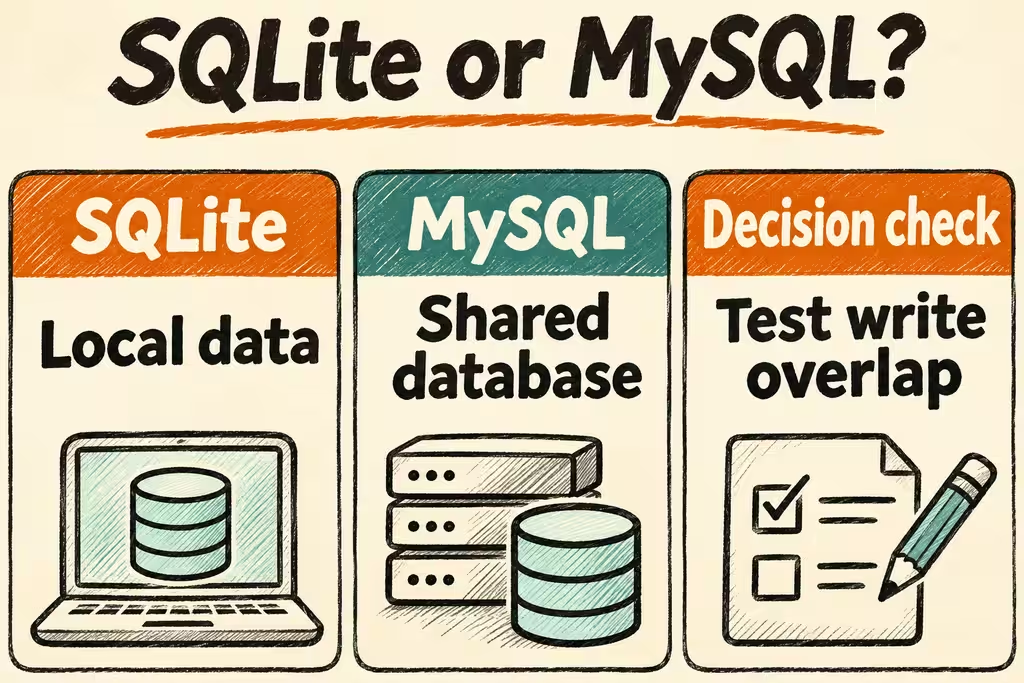
Choose SQLite or MySQL based on the application topology
SQLite runs in the application and opens a database file; applications connect to an independent MySQL server. A small web app on one host can be a good fit for SQLite. A tiny shared data set can still need MySQL if clients are distributed and write concurrently.
| Workload | Starting point | Switch or test if |
|---|---|---|
| Desktop, offline or single-process application | SQLite | A new requirement calls for shared remote writes or central access controls. Offline sync is its own design problem. |
| Single-host site with bursts of small updates | SQLite with WAL on local storage | Measure lock retries and p99 writes. A longer transaction or growing writer backlog can change the decision. |
| Several app hosts share durable state and update separate records | MySQL with InnoDB | Verify capacity, pool behavior and replication or backup strategy; test contention on hot records. |
| Production uses MySQL, developer tests use SQLite | Keep SQLite for quick local tests and run critical tests against MySQL | Any regression sensitive to collations, constraint enforcement, transaction behavior or MySQL-specific SQL requires a real MySQL CI check. |
Write contention and compatibility traps
SQLite WAL lets readers and a writer overlap on a local filesystem, but writers still take turns. Shorten write transactions and measure actual wait time. InnoDB uses row-level locking and multi-version concurrency; writes to different rows can proceed concurrently, while hot rows and certain range operations can block. A server adds network and pool latency, so test end to end.
A SQLite schema that loads successfully can still behave differently from MySQL. Enable or verify foreign-key enforcement for each SQLite connection, then run the same broken-reference test on both engines. Compare collations and duplicate keys with inputs such as mixed-case names, verify exact decimals and timezone conversions, and check that imported IDs do not interfere with the next generated value.
What the Hacker News cases add
Xsql author dawitworku described building a translator that parses CREATE TABLE statements to support local development and testing across SQLite, MySQL and PostgreSQL. They explicitly limited the scope to schema DDL. Use a DDL converter to draft a target schema, then verify data transfers and application behavior separately.
Marmot maintainer maxpert reported getting WordPress running in a distributed SQLite project through its MySQL wire API. This was a project demo with an additional server layer. It is evidence that a specific client integration can be adapted; it does not establish that plain SQLite accepts MySQL connections or that a compatibility layer reproduces all InnoDB behavior.
Run a realistic load and migration rehearsal
Separate throughput from correctness. Write a failure rule in advance: if the peak write queue cannot drain within the application latency budget or a restore exceeds the recovery window, the current design fails the trial.
- Load the same representative data into a local SQLite database and a staging MySQL InnoDB server. Record SQLite journal and synchronous settings and MySQL durability settings. Open the number of app processes and database clients you plan to use.
- Run three five-minute rounds at expected peak: isolated lookups, concurrent updates to different keys, and concurrent updates to a single hot key. Keep periodic reads active. Report p95 and p99, busy errors or deadlocks, retries, queue depth and app-to-database time.
- Restore a backup onto an empty target. Include a duplicate key, broken foreign key, decimal amount, timezone edge case and explicit IDs in the shared fixture. Verify counts, business totals and error behavior after restore, then insert a row to check the next generated ID.
- For a migration, use a write freeze for a small data set or a tested change path for a longer move. Compare key ranges and business invariants before directing writes to MySQL. Preserve the SQLite backup and plan how to handle changes made after cutover.